Best Highguard Setup Priorities for Consistent Play
A better setup will not choose the right warden for you, but it can make your decisions easier to execute. This guide focuses on setup choices that matter when you are playing Highguard picks like Kai, Mara, and Scarlet.
As an Amazon Associate I earn from qualifying purchases. Product links support the guide topic and do not affect recommendation results.

Start with Highguard playstyle traits
The strongest starting point is the Highguard roster itself: roles such as Assault, Recon, Defensive, and Support, trait tags such as Burst Damage, Area Control, Siege Breaker, and Team Support, and familiar picks like Kai, Mara, and Scarlet.
Use those labels to describe what you want from a warden, then open the matching wardens and compare the recommendations. That keeps the guide tied to real playstyle overlap instead of a generic tier list.
- Open a Highguard pick below if you already know one you enjoy.
- Use the tag cards to turn vague preferences into searchable traits.
- Check recommendations after each profile so you are comparing overlap, not just popularity.
Start with input consistency
For most Highguard players, the first upgrade should be the thing your hands touch every fight. A stable mouse, keyboard, controller, or mousepad matters more than decorative gear because it affects every aim correction, movement input, and ability timing.
You do not need the most expensive option. You need something predictable: a shape you can hold without tension, switches or buttons that actuate cleanly, and enough desk space to repeat the same motion under pressure.
- Prioritize comfort and repeatability over RGB, weight claims, or branding.
- Avoid changing sensitivity and hardware at the same time unless you are intentionally rebuilding muscle memory.
- If you play multiple competitive games, pick gear that feels neutral instead of specialized for one title.
Visibility beats visual flair
A monitor upgrade helps only if it makes Highguard easier to read. Higher refresh rate, stable frame pacing, and low input delay are more important than extreme resolution for most competitive players.
If you are still learning the wardens, clean visibility also helps you recognize animations, projectiles, target movement, and fight state faster. That is especially useful when comparing traits such as Burst Damage, Area Control, Siege Breaker, and Team Support.
Audio should reduce uncertainty
A good headset or headphone setup should make important sounds easier to place without making the whole mix harsh. You are listening for information, not just volume.
If comms matter in your queue, microphone clarity can be more valuable than a small audio upgrade. Bad voice quality costs attention every time your team has to ask you to repeat something.
Highguard Picks Mentioned Here
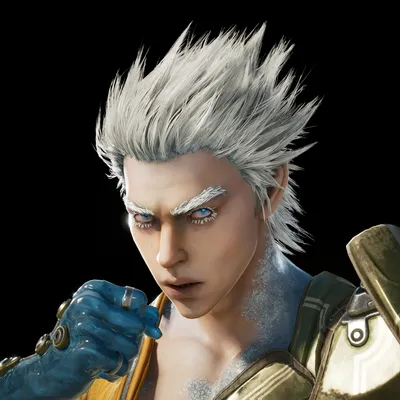


Playstyle Traits to Watch
Setup Gear to Compare
These links are starting points, not required purchases. Compare reviews, return policies, and current pricing before buying anything.
Input gear
Start here if your current gear feels inconsistent, cramped, or uncomfortable.
Display and audio
Upgrade these after your inputs feel stable.